



Blog
AutomotiveEmbedded Engineering
12 Nov 2026•6 min read
Automotive OTA Updates: Building Scalable Platforms for Software-Defined Vehicles
By KaliCharan Manchikanti
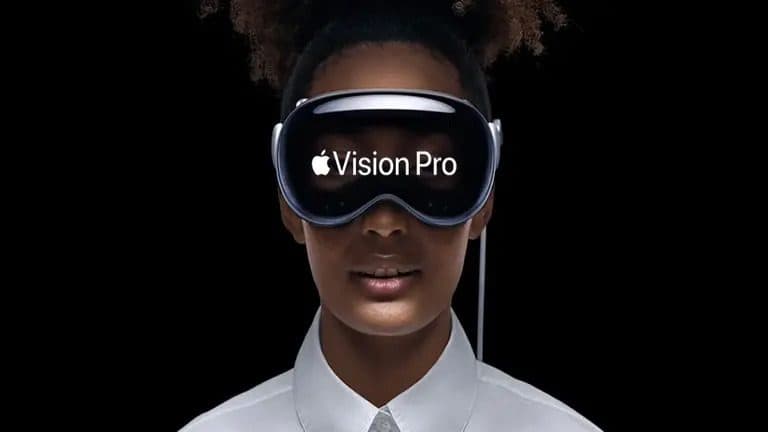
As the real and virtual worlds continue to converge, Apple has introduced Vision Pro, a device designed to deliver immersive mixed-reality experiences. Vision Pro enables endless possibilities for exploring human-to-system interactions and spatial dynamics. Users can interact with the digital world more naturally using the mixed-reality headset. It overlaps digital content in the real world, allowing users to simultaneously see and interact with both worlds. Vision Pro is slated for limited release to the public next year, but Apple has already given a demo to select developers.
Vision Pro features two high-resolution micro-OLED displays that project images directly onto the user’s retinas, creating a “screenless” (screen without a screen) experience. The headset has 12 built-in cameras for tracking the user’s head, eyes, and hands, a LiDAR scanner for depth perception, and an Apple M2 chip with 10 CPU and 32 GPU cores.
Vision Pro is designed with accessibility at the center, using gestures, voice, and combinations of these input modes as critical enablers. This was showcased in the launch event video, where users could interact with the headset using gestures to browse the web, watch movies, and play games. Designing for Vision Pro requires understanding these input modes and providing solutions for users to have a seamless journey.
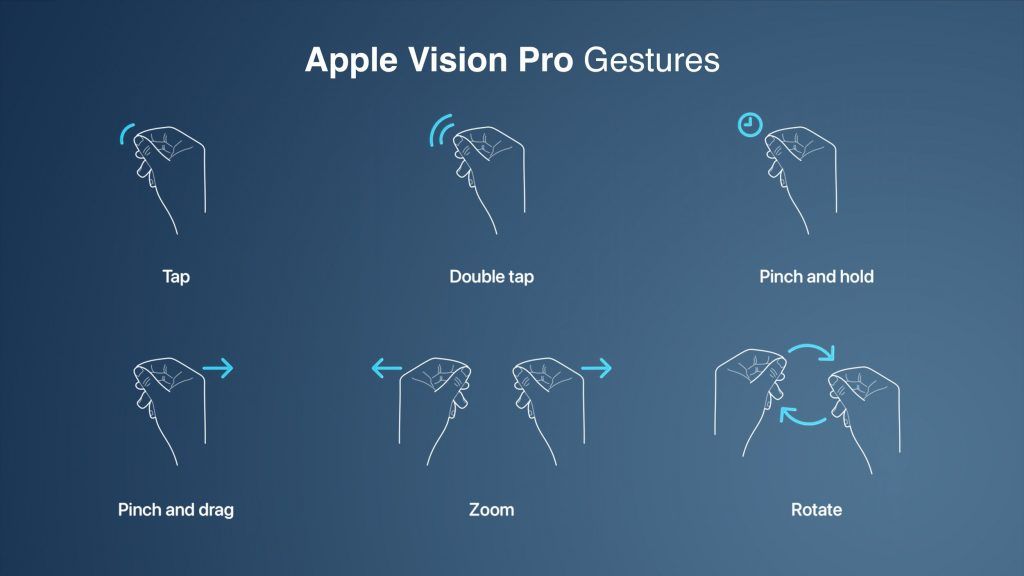
Source: MacRumors Apple Vision Pro Gestures
Design principles for traditional screens may not work for the future of spatial experiences, which are more immersive and interactive. Designers need to adapt these principles to consider the unique features of spatial experiences. Spatial experiences allow users to interact with the environment more naturally, so designers must create interfaces that are easy to use and understand.
Vision Pro’s spatial capabilities allow designers to create visually captivating and user-friendly interfaces that feel intuitive and natural to navigate. This focus on user-centric design enhances the user experience across various applications. Below are some key aspects to consider while designing for glass-style UI:
To create a seamless user experience, Apple has reimagined the feedback mechanism for icons on the home screen. When a user looks at an icon, it expands as if it is being hovered over. Designers design icons with subtle depth by adding specular shadows and highlights.
To design a great icon, start by creating multiple layers. The system uses these flat layers to create a three-dimensional effect. The icon should be converted to 1024×1024 pixels, with transparent foreground layers. Do not use large regions of semi-transparent pixels, as they will blend with the shadow behind them.
Consider these additional recommendations when designing icons:
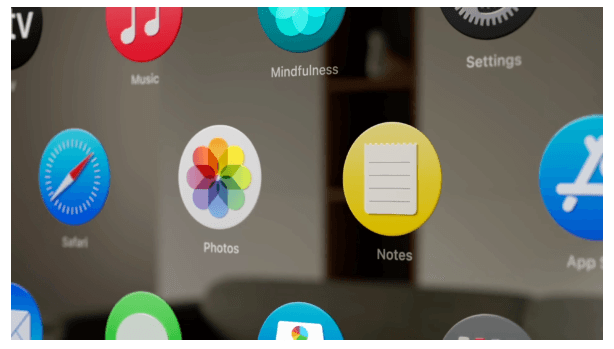
Source: App icons | Apple Developer Documentation
Apple has introduced glass material to create a more spatial and lightweight user experience. This material allows users to see what is behind a window, such as other apps or people, without feeling suffocated.
Therefore, when designing an app window, it is essential to avoid using solid colors. Too many opaque windows can make the interface feel heavy. Instead, use a lighter material to bring attention to interactive elements, such as buttons, or a darker material to separate sections of the app.
For example, if you want to design a lock-up with a lighter button, you can place it on top of the glass material. Or, if you’re going to create more contrast, you can use a darker cell behind the button. However, it is crucial to avoid stacking lighter materials on top of each other, as this can impact legibility and reduce contrast.
Consider these bonus tips for designing with glass material:
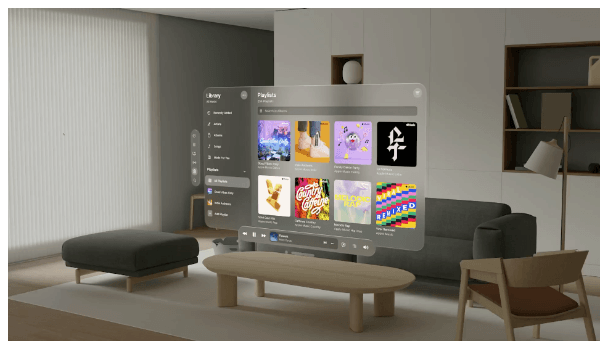
Source: Materials | Apple Developer Documentation
The font-weight can be slightly increased to improve text contrast against vibrant materials. For example, on iOS, regular weight for the body text style must be used; on this platform, a medium can be used. And for titles, instead of semi-bold, bold can be used. This makes the text more legible, even when displayed on a vibrant background. System fonts, which are designed for optimized legibility, can also be used.
Vibrancy is another crucial detail for maintaining legibility. It enhances the foreground content by bringing light and color from the background forward. On this platform, vibrancy updates in real-time to ensure your text is always legible, even when the background constantly changes. Vibrancy can indicate hierarchy for text, symbols, and fills. Primary vibrancy can be used for standard text, and secondary vibrancy can be used for less critical text.
Pointers for using typography and vibrancy:
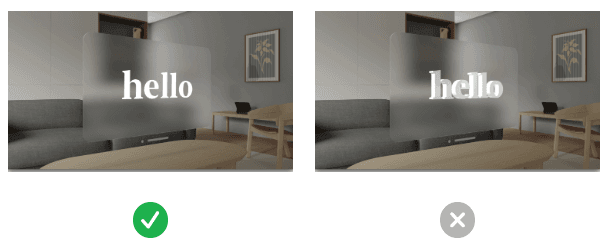
Source: Typography | Apple Developer Documentation
When designing a glass-style UI, use white text and icons on a colored background. This will make the text and icons stand out and be more legible.
Here are some additional tips for designing glass-style UIs:
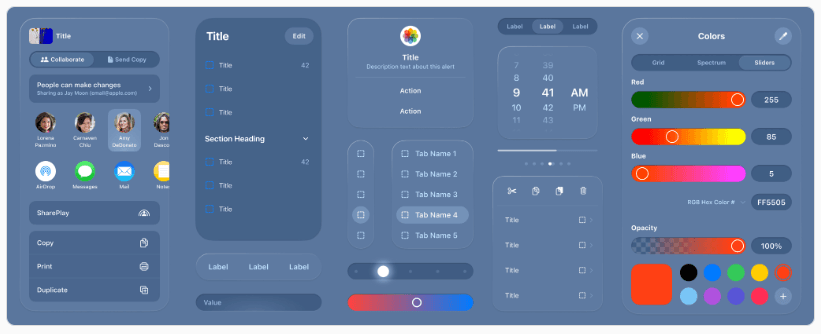
Source: VisionOS – Apple Developer
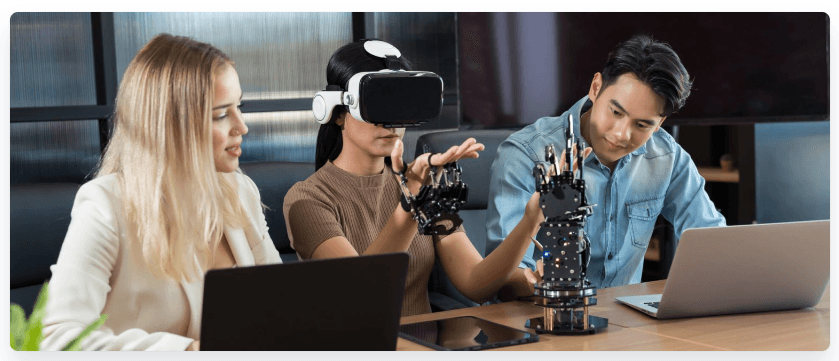
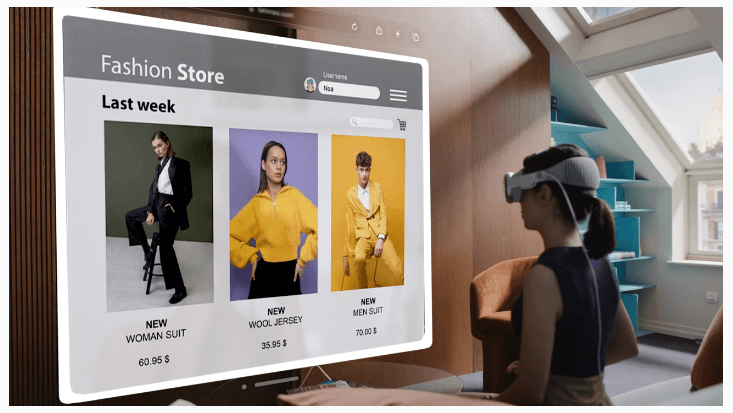
Businesses of all sizes and across some industries are excited about the potential of Apple Vision Pro, which is still in its early stages of development. The technology has the potential to transform operations, improve customer experiences, and boost overall performance. Still, which industries will most successfully adopt it remains to be seen.
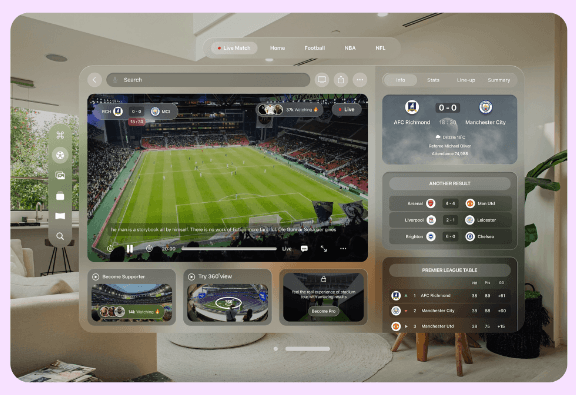
Source: How will Apple Vision Pro VR influence industries | Merge Development
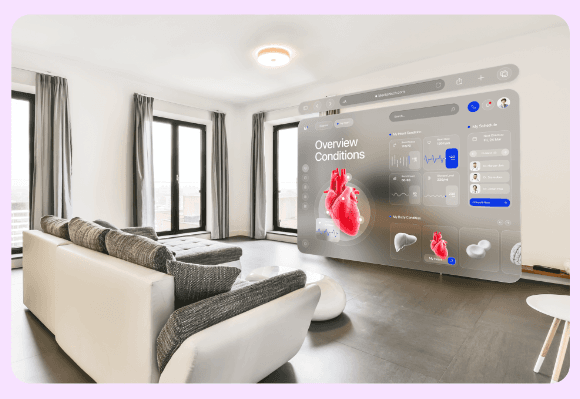
Source: How will Apple Vision Pro VR influence industries | Merge Development
Source: Apple’s Vision Pro: Revolutionizing Industries Through Spatial Computing| ELEKS
Source: Apple Vision Pro and The Future of ECommerce (codilar.com)
Innovation can be exciting, promising a brighter future with endless possibilities. However, carefully considering the potential consequences of new technologies is essential. While innovation often brings benefits, it can also come with risks, such as privacy concerns, surveillance risks, and impacts on mental health and social isolation. Balancing progress with responsibility when developing and using new technologies is essential.
Early reports suggest that the Vision Pro is well-built but slightly uncomfortable to wear for extended periods. The headset is front-heavy due to its metal construction, which could make it difficult to wear for long periods. Additionally, the headset’s weight distribution and heat management could further impact user comfort. If the Vision Pro is not designed to be comfortable, it may limit its appeal to consumers and businesses.
The Vision Pro raises fundamental concerns about personal privacy. The headset’s ability to project floating screens onto our vision while observing our environment could collect vast data about us. This data could include our eye movements, facial expressions, and surroundings. The potential for this data to be used to track our movements, monitor our behavior, and even identify us is a serious privacy concern. Establishing robust safeguards and ethical boundaries is essential to protect individuals’ privacy in the digital age.
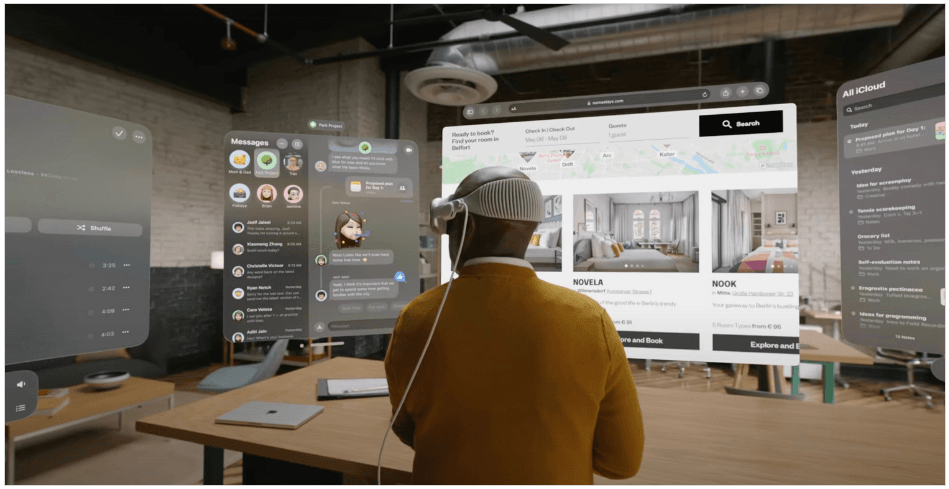
While technological advancements can enhance our lives, we must also consider their potential impact on mental well-being and social dynamics. The Vision Pro’s immersive AR experience could be a double-edged sword. On the one hand, it offers captivating virtual overlays of reality that could tempt users to immerse themselves in a captivating digital realm. On the other hand, this allure could come at the risk of isolating individuals from their physical surroundings and authentic human connections. As we increasingly detach from the present moment and substitute genuine interactions with virtual experiences, the potential for social isolation and its associated mental health consequences is serious.
Source: Apple Developer Forums
Apple’s Vision Pro hasn’t even been released yet, but the company is already planning a smaller and lighter version of the headset and is deep into work on follow-up products.
Apple Vision Pro can redefine how we interact with technology in a human-centric way. Its spatial capabilities allow designers to create visually appealing, user-friendly interfaces that feel natural. This focus on human-centric design will enhance and transform businesses of all sizes and industries by enabling immersive, interactive, and personalized experiences in various applications, from gaming and entertainment to education and training. While Vision Pro can be a powerful tool for good, it is essential to remember that it is also a new technology with potential risks. Our collective responsibility is to ensure that Vision Pro is used responsibly in a human-centric way.

By Parth Khandekar

RESOURCES
Automotive OTA Updates: Building Scalable Platforms for Software-Defined Vehicles
By KaliCharan Manchikanti

AI in Travel: Enterprise Use Cases Across Booking, Operations and Customer Experience
By Janardhana T
More Models, Fewer Decisions: How to Scale AI Adoption Without Scaling the Bill
By Simon Matar
We are seeing the same pattern with our clients. Once AI adoption reaches a certain point, costs rise faster than the annual budget can absorb. So what drives these costs, and how do you keep adoption going without the budget...
Engineering
Human
Experiences
Let’s get in touch
We craft intuitive digital products that blend user-centric design with robust technology. From UX/UI to full-stack development, we help brands turn ideas into scalable solutions.